
7 Reasons Why Your Website Traffic Isn't Growing | Explanation of Solutions and Strategies
2026/11/23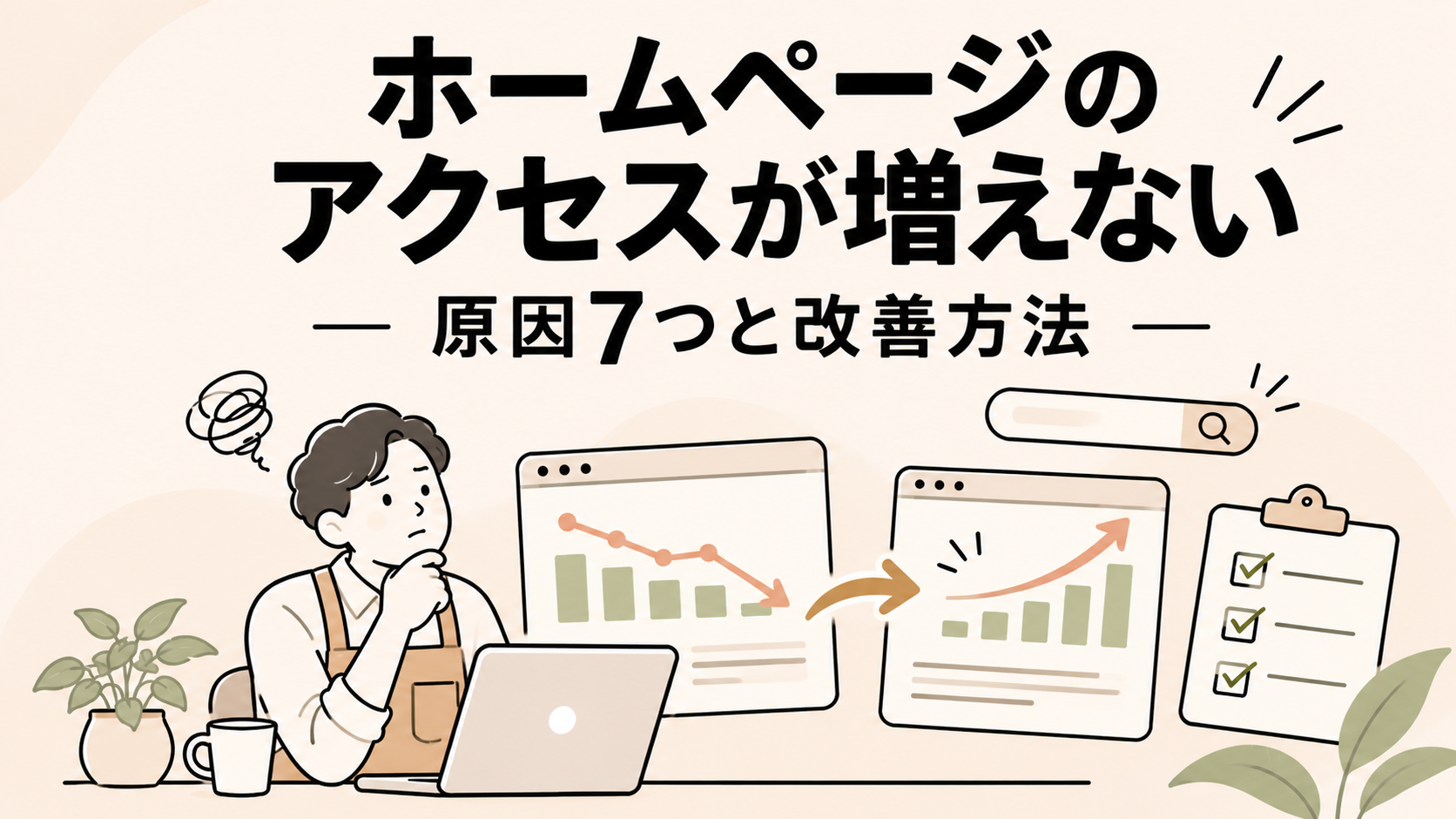
“I launched my website, but traffic hasn’t really increased.”
“I’ve been updating my blog, but I’m not getting many customers from search engines.”
“I had a web design company build my website, but is it really okay to leave it as is?”
Do you have any of these concerns?
Just because you’ve created a website doesn’t mean traffic will naturally increase.
In particular, sites that have just gone live or haven’t implemented SEO strategies yet may see very little traffic from Google Search.
However, just because traffic isn’t increasing doesn’t necessarily mean you need to completely redesign your entire website right away.
The key is to identify why traffic isn’t increasing and then make improvements based on that.
I’ve been involved in web development for over 30 companies and more than 200 websites, and I currently focus on post-launch support—such as SEO and ad management—to help drive traffic to websites.
Through this experience, I’ve come to realize that increasing website traffic isn’t just about adding more content—it’s also crucial to analyze the current state of your existing pages and review search data.
In this article, I’ll clearly explain the seven reasons why website traffic isn’t growing and provide specific ways to improve the situation.
I’ll also show you how to use Google Search Console to identify the causes and suggest the measures you should prioritize, so please use this as a reference.
What to Check First When Your Website Traffic Isn’t Growing
If your website traffic isn’t growing, first check whether your pages are appearing in Google Search and whether users are clicking on them from the search results. The necessary improvements will vary depending on which stage of the process the problem lies.
The causes of low traffic can be broadly divided into three categories
The reasons why website traffic isn’t increasing can generally be categorized into the following three main causes.
- The page isn’t appearing in search results
- The page appears in search results but isn’t being clicked
- There are few opportunities for people to discover the site, including through channels other than search
For example, if a page isn’t indexed by Google, you’ll need to check for technical issues before adding more content.
On the other hand, if a page appears in search results but isn’t being clicked, you should consider reviewing its ranking position, title, and how well it meets users’ search intent.
In addition to traffic from Google Search, there are ways to optimize other traffic sources, such as Instagram, Google Maps, and online ads.
First, let’s assess the current state of your company’s website.
The Difference Between Google Search Console and GA4
Google Search Console and Google Analytics 4 (GA4) are useful tools for analyzing website traffic.
Both are free Google tools, but the data they provide differs.
| Tools | Main Information You Can Check | Recommended Uses |
|---|---|---|
| Google Search Console | Impressions, clicks, search keywords, and ranking positions in Google Search | Identify SEO issues |
| Google Analytics 4 (GA4) | Traffic sources, user behavior, and configured conversion events | Analyze overall traffic and the user journey leading to inquiries |
For example, if you want to know why you’re getting few clicks from Google Search, start by checking Search Console.
If you want to investigate where your traffic is coming from—including Instagram and ads—GA4 is a useful tool.
Note that since the two tools use different measurement methods, the numbers may not match exactly.
Also, if the GA4 tracking tag isn’t set up correctly, data may not be recorded properly even if traffic is actually occurring.
If the numbers seem low, check to see if there are any issues with your tracking setup.
Four Insights You Can Gain from Search Data
Looking at the numbers in Search Console makes it easier to identify areas for improvement.
| Current Status | Possible Causes | Priority Checks and Improvements |
|---|---|---|
| Very Few Impressions | Issues with indexing, search demand, or relevance | URL inspection; verification of keywords and page content |
| There are impressions, but few clicks | Low search rankings, titles that don’t convey the message clearly, etc. | Review search keywords, rankings, and titles |
| Click-through rates are increasing | Traffic from search may be increasing | Check the conversion path to inquiries and reservations |
| Click-through rates have decreased compared to before | Changes in search demand, rankings, or technical issues | Compare with historical data to isolate the cause |
However, these are merely guidelines for identifying potential causes.
For example, just because the number of impressions is low does not necessarily mean there is a problem with indexing.
Impressions may also be low for keywords with low search volume or for pages that were just recently published.
Don’t jump to conclusions based solely on the numbers; be sure to also check the search keywords and the status of the page.
7 Reasons Why Your Website Traffic Isn’t Growing and How to Fix Them
The main reasons why website traffic isn’t increasing include not being indexed by search engines, using the wrong keywords, lacking sufficient information, and not getting clicks in search results. Identify each of these causes and start by addressing the necessary improvements.
Reason 1: Your Website Isn’t Properly Indexed by Google
The first thing to check is whether your website is indexed by Google.
In Google Search, the search engine discovers web pages, reviews their content, and registers them as search results.
This process is called “indexing.”
If a page is not indexed, it will not appear in regular Google search results.
For example, if you’ve just published your website, Google may not have discovered the pages yet.
Additionally, depending on your settings, indexing by search engines may be restricted.
Solution: Check the URL Inspection tool in Search Console
If you’re registered with Google Search Console, enter the URL of the page you want to check into the “URL Inspection” field at the top of the screen.
This will let you check whether the page is indexed by Google.
If it isn’t indexed, check the reason displayed.
For example, the following scenarios may apply:
- Google hasn’t discovered or crawled the page yet
- The page has a “noindex” setting
- A different URL is recognized as the canonical page
- The page cannot be loaded due to a server error or other issue
- Google has detected the page but has not indexed it
“noindex” is a setting that instructs search engines not to include that page in search results.
In WordPress, go to “Settings” in the admin panel, then open “Reading,” and check to see if the setting to prevent search engines from indexing the page has been accidentally enabled.
However, this setting alone does not determine whether a page is indexed. You may also need to check individual page settings and SEO plugin configurations.
If necessary, you can also create an XML sitemap and submit it to Search Console.
An XML sitemap is a file used to inform search engines of the URLs on your site.
However, even if you submit a sitemap or request indexing, there is no guarantee that your site will be indexed.
Reference: Official Google Guide “How to Get Your Site Listed in Google Search Results”
If you’re unsure about your site’s indexing status, we recommend checking with your web development agency or web administrator.
Reason 2: You’re targeting keywords that customers aren’t searching for
Even if your website has rich content, if it only includes terms that actual customers don’t use, it may be difficult for them to find your site through search.
For example, consider a case where you’re using only technical service names.
Even if these terms are common within the industry, they may be difficult for customers searching for a service for the first time to understand.
There are also cases where companies target keywords that are only loosely related to their business simply because they have high search volumes.
Solution: Research the terms customers actually use in their searches
For example, if you’re a website design company in Okinawa, you might consider the following keywords:
- Okinawa Website Design
- Okinawa Website Design Costs
- How to Choose a Web Design Company
- Website Redesign Costs
Although these keywords are similar, the searchers’ intentions differ slightly.
People searching for “costs” likely want to know the prices, while those searching for “how to choose” may be comparing multiple web design companies.
As such, it’s important to provide pages that match the searcher’s intent.
The following method is helpful when identifying keywords:
- List the questions customers frequently ask
- Try searching on Google yourself
- Check what kinds of pages appear in the search results
- Check the keywords already listed in Search Console
- Choose terms that relate to your company’s services
You don’t need to target only keywords with high search volume from the start.
For example, keywords that combine a location name with specific service details can better align with the search intent of people considering your services.
What matters isn’t just the volume of traffic, but whether people who need your products or services can actually find you.
Reason 3: The page content doesn’t match what searchers are looking for
Even if you’ve selected the right keywords, traffic may not increase if your page doesn’t answer the searcher’s questions.
For example, someone searching for the keyword “website development costs” likely wants to know the approximate fees and a breakdown of the costs.
However, if most of the page is devoted solely to the company’s philosophy or its commitment to design, it would be difficult for them to find the information they’re looking for, wouldn’t it?
Understanding the information searchers are looking for is called “understanding search intent.”
Solution: Organize headings and body text to align with search intent
For example, on a page explaining costs, you might include the following information:
- Estimated Development Costs
- Reasons for Price Variations
- Tasks Included in Production Costs
- Maintenance Costs After Launch
- How to Choose Based on Your Budget
As shown above, organize the information that searchers want to know and explain it clearly on the page.
It’s also important to organize the content using headings such as H2 and H3.
For example, using H2 headings for the article’s main themes and H3 headings for specific details within those themes makes it easier for readers to find the information they need.
However, there’s no need to simply copy what’s written in top-ranking articles.
By incorporating your company’s experience, track record, and questions actually asked by customers, you can convey unique and valuable information.
Google has also stated its policy of prioritizing content that is useful and trustworthy to people, rather than content created solely to manipulate search rankings.
Reference: Google Official Guide “Creating Useful, Reliable, and User-First Content”
Reason 4: Insufficient Information on Service Pages or Articles
Having a small number of pages on your website isn’t necessarily a problem in and of itself.
However, if there is insufficient information about your products or services, you may not be able to answer searchers’ questions.
For example, if a remodeling company’s website simply states, “We handle remodeling projects,” it’s unclear what types of projects they can undertake.
Is it a bathroom, a kitchen, or a store renovation? People are also likely to be concerned about pricing and the duration of the work.
If this information isn’t organized properly, it becomes difficult to connect the search topic with the page’s content.
Solution: Start by enhancing your existing service pages
Before adding new blog posts, check to see if the following information is included:
- Specific service details
- Target customers and service areas
- Conditions under which prices or fees may change
- Service features and strengths
- Track record in production, installation, and implementation
- Process from Request to Delivery
- Frequently Asked Questions
- How to Inquire or Make a Reservation
For example, for a tax accounting firm, you can organize the necessary information by service—such as “Startup Support,” “Bookkeeping Services,” and “Tax Consulting.”
For a restaurant, it’s important to provide detailed information on the menu, prices, business hours, directions, and parking.
Once your service pages are in order, you can gradually add blog posts and case studies that address your customers’ questions.
For example, a remodeling company could cover topics such as “Bathroom Remodeling Costs,” “Construction Duration,” and “Project Examples.”
Once you’ve created an article, be sure to add internal links to the relevant service pages.
Internal links are links that take users to other pages within the same website.
This makes it easier for readers to find the information they need and also helps Google discover pages within your site.
However, simply increasing the number of articles won’t necessarily improve your search rankings.
Make sure to clearly define exactly whose questions each page answers and what those questions are.
Reason 5: The page appears in search results but isn’t getting clicks
When you check Search Console, you may find pages that have impressions but few clicks.
In that case, check the ranking and title of the page in the search results.
For example, a title like “About Our Website” doesn’t clearly convey what the page is about, does it?
On the other hand, a title like “What Are the Average Costs for Website Development? An Explanation of Fees, Maintenance Costs, and How to Choose” makes it easier for users to determine whether the page contains the information they’re looking for.
Solution: Change the title to one that clearly conveys the page’s content
For example, consider the following improvements:
| Before Improvement | Example of Improvement |
|---|---|
| About Websites | Average Website Development Costs | Pricing, Maintenance Fees, and How to Choose |
| Our Services | Store Interior Renovation in Okinawa | Services Offered, Project Examples, and Consultation Process |
| News & Blog | How to Increase Bookings for Your Hair Salon | Utilizing Google Maps and Social Media |
When making improvements, make sure the page content matches the title.
There’s no need to repeat keywords unnaturally over and over.
Also, the title displayed in search results may not necessarily be the same as the text you set in WordPress.
Google may display a different title based on the page’s headings and other elements.
Furthermore, the title isn’t the only factor contributing to low click-through rates.
Your click-through rate can also vary depending on your ranking position or the type of information displayed in search results.
Before changing the title, be sure to check both the search keywords and the average ranking.
Reason 6: Issues with mobile responsiveness or site structure
Even if your website has rich content, technical issues can make it difficult for search engines to understand your pages or for visitors to use them.
For example, text may be too small on smartphones, pages may take too long to load, or links to important pages may be hard to find.
Additionally, depending on your WordPress settings or site structure, Google may not be properly identifying the necessary pages.
Solution: Check Display, Internal Links, and Technical Settings
First, please check the following items.
- Are text and images easy to view on smartphones?
- Is there any horizontal scrolling or layout breakage?
- Does the page take a long time to load?
- Can users navigate to the main service pages from the menu?
- Do the links on the page work properly?
- Are important pages indexed?
- Are there any unnecessary “noindex” tags?
If you want to check your page load speed, you can use Google’s free tool, “PageSpeed Insights.”
PageSpeed Insights (Official Website)
However, the goal is not simply to achieve a score of 100 on PageSpeed Insights.
Prioritize ensuring that actual users can browse the site without frustration and that the page’s key information is displayed properly.
Additionally, changes to URLs, redirects, and canonical URL settings can negatively impact search traffic if handled incorrectly.
If such technical tasks are required, we recommend consulting a web development agency.
Cause 7: Insufficient channels for promoting your website
Finally, check the traffic sources leading to your website.
Traffic to your website doesn’t come solely from Google Search.
For example, there are various channels, such as Instagram, Google Maps, web ads, and links from other sites.
Since newly launched websites may not yet receive much traffic from search engines, it’s important to create opportunities to raise awareness through other methods.
Solution: Establish traffic channels suited to your business
Here are some examples:
- Add a link to your official website in your Instagram profile
- Register your website’s URL on your Google Business Profile
- Include your website URL on business cards and flyers
- Use Google Ads or Meta Ads as needed
- Get links from the introduction pages of relevant business partners and organizations
- Notify existing customers about new service pages
For example, if you run a restaurant in Okinawa, there are ways to make it possible for users to navigate to your official website from Google Maps or Instagram.
For business-to-business services, you could consider including a link to the service page in sales materials or email signatures.
However, you don’t need to launch campaigns on every social media platform or advertising channel.
Choose your platforms based on where your customers typically look for information.
Also, you should avoid methods such as purchasing large numbers of unnatural links to manipulate search rankings.
Instead, focus on being naturally featured on relevant websites through your actual business transactions and activities.
5 Steps to Investigate Why Your Traffic Isn’t Growing in Search Console
To investigate why traffic to your website isn’t increasing, use Google Search Console to check impressions, clicks, search keywords, and page-by-page performance. Comparing these metrics makes it easier to identify which pages to prioritize for improvement.
STEP 1 | Open Search Performance
First, log in to Google Search Console.
Google Search Console (Official Site)
Select the website in question and open the “Search Performance” report.
Here, you can view metrics such as the number of clicks and impressions from Google Search.
If you haven’t set this up yet, you’ll first need to register your site and verify ownership.
STEP 2 | Compare the last 3 months with the 3 months before that
Next, set the date range.
For example, let’s compare the last 3 months with the 3 months before that.
If your site has just been launched and there isn’t much data yet, you can use whatever time period is available.
Here, we’ll mainly look at changes in click-through rates and impressions.
Additionally, for industries where search demand fluctuates seasonally, you can also compare the data to the same period in the previous year.
For example, for tourism-related services in Okinawa, the content and frequency of searches may vary depending on the travel season.
Just because traffic has decreased compared to the previous month doesn’t necessarily mean there’s a problem with the site.
STEP 3 | Check Search Keywords Under “Queries”
Next, check the “Queries” section.
A query refers to the actual terms people used when searching on Google.
For example, you can see what terms your site appears for in search results, such as “Okinawa website design” or “website costs.”
Among these, try to look for keywords like the following:
- Keywords that have a high number of impressions but few clicks
- Keywords related to your company’s services
- Keywords that you hadn’t anticipated but are related to your business
- Keywords with a lower number of clicks than before
For example, if your site appears in search results for keywords related to pricing but contains almost no pricing information on the page, there may be room to improve the content.
However, please note that some search queries are not displayed in Search Console for reasons such as privacy protection.
Please keep in mind that you cannot view every single search query.
STEP 4 | Select articles to improve under “Pages”
Next, open the “Pages” section.
Here, you can see which pages are appearing in search results and receiving clicks.
When selecting pages to improve, you might consider the following order, for example:
- Service pages that are likely to lead to business inquiries
- Pages with a high number of impressions but few clicks
- Pages whose search rankings have dropped compared to before
- Articles with outdated information
- Pages lacking relevant internal links
In particular, for small and medium-sized business websites, improving existing service pages may take priority over adding new blog posts.
Be mindful not only of increasing traffic but also of whether the page leads to inquiries.
STEP 5 | Review the Data After Improvements
Once you’ve improved a page, be sure to record the date and details of the changes.
For example, in the following format:
- November 1: Changed the title of the services page
- November 5: Added an explanation of pricing
- November 10: Added a link from related articles to the service page
After that, check the data in Search Console at a later date.
However, the numbers won’t necessarily change the very next day after you make improvements.
It may take some time for Google to re-index the page.
Also, since search demand and the competitive landscape are constantly changing, it’s important not to attribute fluctuations in click-through rates to any single measure.
Monitor trends over a period of time and continue making necessary improvements.
If you want to increase traffic, which pages should you improve first?
When optimizing your website, you don’t need to revise every page at once. Especially for small and medium-sized businesses, we recommend prioritizing pages that are likely to attract traffic from search engines and lead to inquiries.
Start by organizing the information on your service pages
For example, for a tax accounting firm, these would be service pages such as “Tax Consulting,” “Startup Support,” and “Bookkeeping Services.”
For a remodeling company, these might include “Bathroom Remodeling,” “Kitchen Remodeling,” and “Project Examples.”
People who are actually considering hiring your services are likely to visit these pages.
Therefore, it’s important not only to increase traffic from search engines but also to provide the necessary information.
Please check the following points:
- Do the pages clearly convey the specific features of your services?
- Is the pricing structure and cost breakdown clear?
- Are your track record and case studies featured?
- Is the process for using or requesting the service clear?
- Is it easy to find the contact information?
Once you’ve optimized your service page, linking to related articles makes it easier for readers to access more detailed information.
Next, improve the articles appearing in search results
If you already have articles appearing in search results, they are good candidates for improvement.
For example, if an article has a high number of impressions but few clicks, you can try revising its title and headings.
For articles that are receiving clicks but contain outdated information, consider adding the latest updates.
Also, make sure to include links to related service pages so readers can easily navigate to the information they’re looking for next.
When I think about SEO improvements, I make it a priority to first look at the metrics in Search Console and review the pages already appearing in search results.
Before creating new articles, improving existing pages can sometimes reveal areas that need attention.
Find topics for new articles based on customer questions
Once you’ve optimized your existing service pages and articles, it’s time to consider creating new ones.
When brainstorming article topics, I recommend drawing inspiration from questions customers frequently ask.
For example, if you run a website development company, you might encounter questions like these:
- How much does website development cost?
- What’s the difference between a landing page and a website?
- How should I choose a web design agency?
- What should I do after my website goes live?
By carefully explaining these questions one by one, you increase the chances that people searching for this information will find your site.
However, we do not recommend creating a large number of similar articles solely to improve search rankings.
Make sure your content doesn’t duplicate existing articles, and focus on providing readers with the information they need.
5 Things to Avoid When Your Website Traffic Isn’t Growing
If your traffic isn’t growing, you might feel tempted to rush into new strategies. However, if you simply add more articles or completely revamp your website without identifying the root cause, you may end up spending time and money without solving the problem.
① Updating Your Blog Every Day Just for the Sake of It
Updating your blog every day does not guarantee that your search rankings will improve.
Even if the number of articles increases, if they don’t answer the questions people are searching for, it may not lead to more traffic.
Start by reviewing your existing articles to see if any information is missing.
② Stuffing Keywords Repeatedly
Just because you want to improve your search rankings doesn’t mean you need to unnaturally repeat the same keywords.
For example, if you include “Okinawa website design” repeatedly in your text, it becomes difficult to read.
While it’s important to be mindful of keywords, prioritize natural and easy-to-understand writing.
③ Publishing large volumes of AI-generated articles without reviewing them
Using AI can help you efficiently create article outlines and drafts.
However, text generated by AI may sometimes contain information that is factually incorrect.
Additionally, relying solely on general explanations may make it difficult to convey your company’s strengths and experience.
Even when using AI, it’s important to verify facts and add information that only your company can provide.
④ Redesigning the Entire Website Without Investigating the Cause
Just because traffic is low doesn’t necessarily mean you need to completely redesign your entire website.
For example, if the problem is simply that your search keywords aren’t quite right, you may be able to address it by revising the text or structure of your service pages.
On the other hand, if there are major issues with the site structure or content management system, it may be better to consider a full redesign.
Start by analyzing your current site to see if partial improvements will suffice.
⑤ Viewing traffic volume as the sole measure of success
Increasing traffic to your website is, of course, important.
However, if the goal of your business is to increase inquiries or sales, traffic alone is not a sufficient measure of success.
For example, even if 1,000 people visit per month, if they’re all uninterested in your services, it may be difficult to generate inquiries.
Conversely, even with low traffic, if the visitors are people who need your services, it’s likely to lead to inquiries.
Don’t just look at traffic numbers—also check who is visiting and what actions they’re taking.
How long does it take for website traffic to increase?
The time it takes for website traffic to increase varies depending on the site’s current state, the competitive landscape, and the improvements made. While you may see changes within a few weeks, it can sometimes take several months or more, so it’s important not to judge success based solely on short-term results.
It may take time for a newly launched website
For a newly launched website, it may take some time for Google to discover the pages and display them in search results.
Furthermore, even if the site appears in search results, it may not immediately rank at the top.
Especially if you’re targeting highly competitive keywords, you’ll need to continue enriching your content and making improvements.
However, this does not guarantee that traffic will increase simply with the passage of time.
After launching your site, use Search Console to monitor its indexing status and search performance, and make any necessary improvements.
If traffic drops, compare it to past data
If you were previously receiving traffic but have seen a recent decline, it’s important to identify the cause.
For example, the following possibilities exist:
- Search demand is fluctuating seasonally
- Your ranking in search results has changed
- Competitors’ websites have added more content
- Content on your website has become outdated
- Technical issues arose due to changes made to the site
- Changes in the external environment, such as updates to search engines
For example, for tourism-related services in Okinawa, the number of search queries may vary depending on the season.
Therefore, it’s helpful to refer not only to comparisons with the previous month but also to data from the same period the previous year.
Additionally, if traffic drops significantly immediately after a website redesign, you should check for issues with URL changes or redirect settings.
Google also provides official guidance on how to investigate a decline in search traffic.
Reference: Google Official Guide “Debugging a Drop in Google Search Traffic”
Monthly Routines for Improving Website Traffic
You don’t have to tackle all website traffic improvements at once.
For example, simply checking the following items once a month can serve as a starting point for improvement.
- Check the number of clicks and impressions from search
- Check which pages saw an increase or decrease in traffic
- Identify new keywords that have started appearing
- Review articles with outdated content
- Check internal links to service pages
- Check the number of inquiries and reservations
Then, choose one page to improve and make a note of the changes you make.
Start by making small, incremental improvements.
What if traffic is increasing but inquiries are low?
If traffic to your website is increasing but isn’t leading to inquiries or reservations, there may be an issue separate from customer acquisition. In that case, it’s important to review the page content and the path leading to inquiries.
For example, are you experiencing any of the following situations?
- Service prices or details are unclear
- There is a lack of track record or case studies
- The “Contact Us” button is hard to find
- The form has too many fields to fill out
- The process after signing up is unclear
- The website copy doesn’t clearly convey what sets the company apart from competitors
Even if traffic increases, it’s unlikely to lead to results unless visitors feel comfortable making an inquiry.
For example, if someone interested in your service can’t check the pricing, they might hesitate to make an inquiry.
Additionally, if they don’t know your track record or scope of services, it will be difficult for them to decide whether to hire your company.
In such cases, it may be better to prioritize improving your service pages and revising your inquiry process rather than simply adding new articles.
The steps you should take differ depending on whether you’re dealing with low traffic or low inquiry rates.
For tips on improving the inquiry process, see our article “For Those Who Want to Increase Inquiries from Their Website.”
What Should You Check When Outsourcing Website Traffic Improvement?
When hiring an expert to improve your website traffic, make sure they not only have SEO knowledge but can also handle actual site modifications and measure results after the changes go live. It’s also important that they propose priorities based on a clear understanding of your business objectives.
Can they handle not just analysis, but also implementation?
The scope of services varies depending on the SEO company.
For example, some companies only conduct search keyword research and analysis, while others handle everything from actual page modifications to content creation.
Even if a problem is identified through an analysis of the current situation, improvements won’t move forward if there’s no one to implement the fixes.
Therefore, before hiring a company, be sure to confirm the following:
- Do they support analysis using Search Console and GA4?
- Can they conduct search keyword research?
- Can they provide suggestions for improving existing pages?
- Can they handle editing tasks on platforms like WordPress?
- Do they offer post-launch performance tracking and improvement suggestions?
- Can you consult with them on creating conversion paths that lead to inquiries?
Also, be wary of any claims that guarantee an increase in search rankings.
SEO agencies cannot arbitrarily determine Google’s organic search rankings.
We recommend choosing a company that provides specific explanations of what kind of analysis they will perform and what improvements they will make.
AT.DESIGN handles everything from traffic analysis to website optimization
At AT.DESIGN, we offer consultations not only on website development but also on SEO and improving online lead generation.
First, we’ll review your current website and organize data such as search keywords, traffic statistics, and page content.
For example, if your site appears in search results but receives few clicks, we’ll consider improving the titles and headings.
If the information searchers are looking for is missing, we’ll review the content on your service pages and articles.
We can also handle actual WordPress modifications, adding new pages, and improving the inquiry conversion process.
What I value most is not just presenting the analysis results, but working with you to determine what should be prioritized based on your business objectives.
From the initial consultation through analysis, design, and production, I, the CEO, will handle everything personally.
It’s perfectly fine to start even if you’re at the stage where you’re thinking, “I look at Search Console, but I don’t know where to start making improvements.”
We’ll assess the current state of your website and work with you to identify the necessary steps.
For more details, please see our page for those who want to increase traffic to their website.
Additionally, if you find it difficult to manage day-to-day operations and ongoing improvements, feel free to consult with us about our ongoing web traffic acquisition support.
Frequently Asked Questions When Website Traffic Isn’t Growing
Finally, we’ve compiled common questions about why website traffic isn’t increasing. We’ll explain topics such as the time after launch, blog updates, and the cost of SEO measures.
Why is my website getting zero traffic even though it’s live?
There are various possible reasons, such as the site having just gone live and not yet being indexed by Google, or the content having low relevance to search keywords.
It’s also possible there’s an issue with your web analytics setup.
First, check your indexing status and search performance in Search Console, and verify your tracking settings in GA4 or similar tools.
How many months does it take for website traffic to increase?
The time it takes for traffic to increase varies depending on the site’s condition, the competitive landscape, and the strategies implemented.
In some cases, you may see changes relatively quickly, while in others, it may take several months or more.
Traffic doesn’t necessarily increase just because time has passed since launch, so it’s important to make improvements while monitoring your search data.
Will traffic increase if I update my blog every day?
Updating your blog every day doesn’t necessarily guarantee an increase in traffic.
Rather than simply increasing the frequency of updates, it’s more important to carefully explain the information that searchers are looking for.
Also, consider improving existing articles and service pages, not just creating new ones.
Can I do SEO on my own?
Yes, there are SEO strategies you can implement on your own.
For example, you can check your search performance in Search Console, review the text on your service pages, or add relevant internal links.
However, technical issues such as indexing and site structure may require specialized knowledge.
Does it cost money to increase traffic to my website?
There are strategies you can start with using free tools.
For example, you can use Search Console to assess your current status or improve the content on existing pages.
However, these tasks do require time.
Additionally, if you outsource tasks such as article creation, web advertising, or technical modifications, you’ll incur costs depending on the scope of the work.
Why do I have low traffic even though my search rankings are high?
Even if you rank highly, traffic may remain low if the keywords in question are searched for infrequently.
Furthermore, the click-through rate varies depending on the content displayed in search results and the searcher’s intent.
Check the number of impressions, clicks, and search keywords in Search Console.
Should I redesign my website to increase traffic?
A redesign isn’t always necessary.
For example, you may be able to address the issue by reviewing your keywords, enhancing your service pages, or improving your page titles.
On the other hand, if there are significant issues with the site structure, update functionality, or page load speed, you may want to consider a site redesign.
We recommend first analyzing the cause and determining whether partial improvements will suffice.
Summary: When Traffic Isn’t Growing, Start by Identifying the Cause
If traffic to your website isn’t increasing, it’s important to assess the current situation before blindly updating your blog or increasing your advertising budget.
Let’s review the seven causes discussed here.
- Your website isn’t properly indexed by Google
- You’re targeting keywords that customers aren’t searching for
- The page content doesn’t match what searchers are looking for
- Information on service pages or articles is insufficient
- Even when your site appears in search results, it isn’t getting clicks
- There are issues with mobile responsiveness or site structure
- There are insufficient pathways to raise awareness of the website
You don’t need to fix everything right away.
Start by checking your search performance in Search Console and identifying where the issues lie.
Then, start making improvements little by little, beginning with the highest-priority pages.
What I’ve come to realize through web development and customer acquisition support is that a website isn’t finished once it’s launched.
Even after launch, by monitoring search data, adding necessary information, and improving usability, you can continue to develop your website into a valuable asset for your business.
Don’t just aim to increase traffic—aim to be found by people who need your products or services, and turn that into inquiries and sales.
For those concerned that their website traffic isn’t growing
“I’m writing blog posts, but my traffic from search isn’t increasing.”
“I look at the Search Console metrics, but I don’t know what to improve”
“I want to increase inquiries through my website”
If you’re facing any of these challenges, please feel free to contact us.
At AT.DESIGN, we provide comprehensive support—from analyzing your website’s current status to optimizing SEO, improving page content, and refining your lead generation strategy.
We’ll work with you to identify necessary improvements while making the most of your current website’s strengths.
Our CEO will personally handle everything from the initial consultation through production and optimization, so it’s okay if you haven’t finalized the specifics of your request yet.